5 Tracker Screens Worth Setting Up Before Your Fall Training Block
Quick Answer: Default tracker screens are built for glanceability, not for decisions. Set up five custom views before a training block: a daily readiness screen, a workout screen with only three fields, a zone-time screen, a weekly load screen, and a sleep consistency screen. Each answers one question you will actually act on, and hiding everything else is most of the benefit.
You can see forty metrics on a modern fitness watch. On any given morning, maybe four of them will change what you do.
The other thirty-six are noise, and they are noise you paid for.

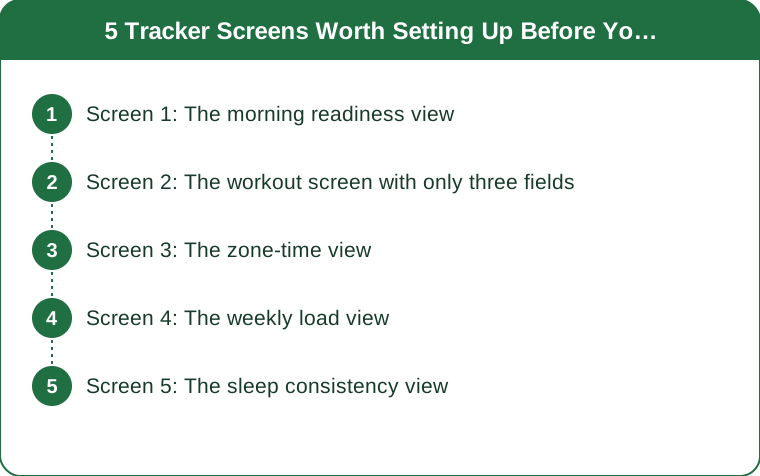
Screen 1: The morning readiness view
The question it answers: should today be hard or easy?
What to put on it: resting heart rate, heart rate variability (or your device’s recovery score), and last night’s sleep duration. Three fields, nothing else.
Why these three: they are the ones with enough overnight signal to be worth checking before you have decided anything. Resting heart rate elevated several beats above your own baseline, HRV noticeably below your normal range, and short sleep all point the same direction, and when two or three of them agree the signal is reasonably trustworthy.
How to read it honestly: absolute numbers mean very little. Your own 30-day baseline is the only reference that matters, and most devices will show you a personal range once they have a few weeks of data.
What to actually do with it: one flag is not a rest day — it is a reason to keep intensity honest rather than ambitious. Two or three flags together, especially with elevated resting heart rate, is a genuine signal to swap a hard session for an easy one.
Where to put it: as the first screen you see, or as a widget on the watch face itself. A metric you have to navigate to is a metric you will not check.
Screen 2: The workout screen with only three fields
The question it answers: am I doing what I planned to do, right now?
What to put on it: three fields maximum. For a run: elapsed time, current heart rate, and either pace or distance depending on which one governs the session. For strength: elapsed time is usually enough.
Why three: because you are moving, possibly breathing hard, and glancing at a screen for under a second. Six fields at a glance means you read none of them properly. The most common tracker mistake is a workout screen designed to be comprehensive rather than legible.
Why heart rate rather than pace as the primary field: because on an easy day, watching pace is the thing that turns an easy day into a moderate one. Heart rate keeps easy honest, and easy days being too hard is the most common flaw in amateur endurance training by a considerable margin.
Set up two versions. An easy-day screen with heart rate large and pace small, and a hard-day screen with the reverse. Nearly every watch supports multiple workout profiles and almost nobody uses more than one.
Turn off mid-workout notifications while you are in there. Buzzes for messages during a session are the single most common reason people stop wearing a watch to train.

Screen 3: The zone-time view
The question it answers: where did my week’s intensity actually go?
What to put on it: time in each heart rate zone for the last seven days. Most platforms have this in the app rather than on the watch, and it belongs on your app home screen.
Why it matters: the most common structural problem in self-directed training is spending too much time in the moderate middle — too hard to recover from, too easy to drive adaptation. Zone-time is the only view that makes this visible, and it is invisible in every other metric.
What a reasonable distribution looks like: for most recreational endurance training, the majority of time sits in the easy zones with a modest share at genuinely hard intensity. A week where half your time is in the middle zone is the pattern to catch.
A caution worth stating: zone boundaries derived from age-based maximum heart rate formulas are rough. The 220-minus-age formula has substantial individual variation and can be off by 15 beats or more in either direction. If your zones feel wrong — if zone 2 feels like a jog you cannot sustain, or like walking — trust the feel and adjust the boundaries.
Check it weekly, not daily. This is a pattern metric and a single day tells you nothing.
Screen 4: The weekly load view
The question it answers: am I ramping up too fast?
What to put on it: total weekly training load or volume, with the previous three to four weeks visible alongside it. Most platforms have some version of this — training load, training stress, or simply weekly duration.
Why it matters most at the start of a block: the transition from summer’s informal activity into a structured autumn block is exactly where people jump volume too fast. The classic guidance of increasing weekly volume by roughly 10% is crude, but the direction is right — most overuse injuries follow a sharp jump in load rather than a high absolute load.
What to look for: a week that is far above the average of the previous three. One big week is survivable; two or three consecutively is where problems start.
The nuance: deliberately building in a lighter week roughly every fourth week is standard practice and it will look like a dip on this screen. That dip is the plan working, not a lapse.
The trap: load scores are calculated differently by every platform and are not comparable between devices. Yours is only meaningful against your own history, so do not compare numbers with a training partner on a different brand.
Screen 5: The sleep consistency view
The question it answers: is my schedule stable enough to recover from what I am asking of my body?
What to put on it: bedtime and wake time for the last week, shown as a range rather than an average. Some platforms call this a consistency or regularity score.
Why consistency rather than duration: duration gets all the attention, but timing regularity is strongly linked to recovery quality and it is more actionable — most people cannot easily add an hour of sleep, and most people can move their bedtime to within the same hour each night.
What to look for: the spread. A week where bedtime varies by three hours is a week where your circadian rhythm has been renegotiating every night, and that shows up as worse recovery from the same training.
Sleep stage data deserves a caveat. Wrist-based devices estimate sleep stages from movement and heart rate, and their accuracy for specific stages is considerably lower than their accuracy for total sleep time. Trust the duration and the timing; hold the deep-sleep-minutes number loosely.
What to actually do with it: if the training block is important, fix bedtime consistency before adding volume. It is the cheapest recovery improvement available and it costs nothing.
The overall principle across all five screens: every metric you display should have a decision attached to it. If you cannot say what you would do differently based on a number, take it off the screen. That single rule removes about two-thirds of what most trackers show by default.
TL;DR: Set up five screens before your autumn block and hide everything else.
- Morning readiness: resting HR, HRV, sleep duration. Three fields, first screen. Two flags agreeing is a real signal.
- Workout screen: three fields maximum, heart rate primary on easy days. Legibility beats completeness.
- Zone time, weekly: the only view that catches the too-much-moderate-intensity trap.
- Weekly load with three prior weeks visible: catches the volume jumps that precede overuse injuries.
- Sleep consistency, not just duration: timing regularity is more actionable and better supported than stage data.
The rule that does the most work: if you cannot name the decision a metric would change, delete it from the screen.
Keep Reading
This article is for general informational and styling purposes only. Fit, sizing, and product availability may vary.