Five Tracker Screens Worth Rebuilding for Autumn Training
Quick Answer: Most people set up their watch screens once and never touch them again, which means the fields showing right now were chosen for different conditions. The five worth rebuilding for autumn: a low-light run screen (fewer, larger fields), an indoor session screen (GPS-free, heart-rate led), a daily readiness screen (resting heart rate, HRV, sleep in one place), a strength screen (timer-led, not pace-led), and a daylight-and-safety screen. None of this requires new hardware - it is twenty minutes of setup that changes what you actually see.
Your watch is showing pace, distance, and current heart rate in three small fields, because that is what you set up in April when you could see clearly and were running outside in daylight.
It is now dark at 6:45am, half your sessions have moved indoors, and pace has become slightly meaningless because you are running in the cold on wet ground.
The device did not get worse. The screen layout stopped matching the conditions.

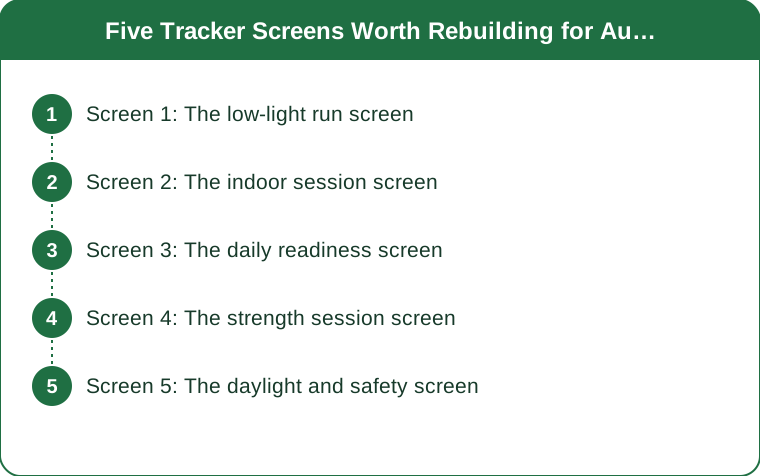
Screen 1: The low-light run screen
Fewer fields, much larger, and no data you cannot act on.
The practical problem with dark mornings is not the watch backlight - it is that glancing at a busy screen while running on uneven, poorly lit ground takes attention you should be spending on the pavement. A four-field screen requires you to find the field you want. A two-field screen does not.
What to show: elapsed time and one other metric. That is genuinely it. Whichever single metric drives your session - heart rate for easy running, pace for a workout, distance if you are covering a set route.
Why two rather than three or four: at two fields, most watches render the numbers large enough to read in a fast glance without focusing. At four, you are reading rather than glancing, and in the dark on wet leaves that matters.
Set the backlight to stay on or to activate on wrist raise, and check it before you leave. Most watches default to a short timeout that was fine in June.
And consider dropping pace entirely for autumn easy runs. Pace in cold, wet, dark conditions is genuinely slower for the same effort - cold muscles, cautious footing, more clothing. Watching a pace number that is worse than August’s for the same effort is actively demoralising and tells you nothing useful. Heart rate or perceived effort is the better guide for this season, and the pace comes back in the data afterwards if you want it.
Screen 2: The indoor session screen
GPS off, heart rate led, and no distance field at all.
As sessions move indoors - treadmill, bike, classes, the gym floor - the metrics that mattered outdoors become either unavailable or unreliable.
Distance and pace from a wrist device indoors are estimates, derived from arm swing rather than from GPS. They can be badly wrong on a treadmill, and displaying them prominently means making decisions on bad data.
What to show instead: heart rate, heart rate zone, and elapsed time. Indoors, heart rate is your most reliable and most actionable number, and the zone display is more useful than the raw number because it tells you what to do about it.
Select the right activity profile. A treadmill run logged as an outdoor run produces poor data and can distort your training load calculations for weeks. This takes one extra tap and almost everyone skips it.
If you use a treadmill regularly, calibrate it. Most watches learn from the treadmill’s own distance if you enter it after the session, and after three or four sessions the estimate improves substantially.
And a chest strap is worth considering for indoor work specifically. Wrist optical heart rate is least accurate during exactly the things you do indoors - fast-changing intensity, gripping handles, cold hands in an unheated gym. If you only wear a strap for one type of session, make it the indoor intervals.

Screen 3: The daily readiness screen
Resting heart rate, HRV and sleep in one place, checked once a day.
Most watches collect these and scatter them across three different screens, which means nobody looks at them consistently. Building one screen that shows all three converts them from trivia into a usable signal.
Resting heart rate is the most robust of the three. A sustained rise of five or more beats above your own baseline generally means something - accumulated fatigue, oncoming illness, poor sleep, alcohol, or heat. It is simple and it is reliable.
Heart rate variability is more sensitive and much noisier. Use the trend over a week, never the single-day number. A single low reading means very little; a week of decline alongside a rising resting heart rate is worth acting on.
Sleep duration and consistency, and be more sceptical about the stage breakdown. Consumer devices estimate sleep stages from movement and heart rate, and they are considerably less accurate at that than at total duration. Total time and bedtime consistency are the numbers to trust.
Why this matters more in autumn specifically: the seasonal transition produces genuine physiological shifts - later light, schedule changes, more indoor time, the start of the respiratory infection season. Having a baseline established now means the winter deviations are interpretable. If you only start looking in January, you have nothing to compare against.
Check it once a day, in the morning, and then leave it alone. Repeatedly checking recovery metrics through the day is a well-documented route to anxiety and tells you nothing new.
Screen 4: The strength session screen
A rest timer, elapsed time, and heart rate. Nothing else.
Strength training is the activity most poorly served by default watch setups, because most defaults are built around cardio metrics that mean nothing here.
The rest timer is the whole point. Rest between sets has a real effect on the training outcome, and almost everyone is inconsistent about it - short rests when the gym is busy, long ones when a conversation happens. A visible countdown makes rest a controlled variable rather than an accident.
Set it to what you actually need: roughly 90 seconds to 3 minutes for heavy compound work, 60-90 seconds for accessory work. Then follow it.
Elapsed session time is useful mainly as a check on drift. A session that used to take 50 minutes and now takes 75 usually means longer rests rather than more work.
Heart rate is a recovery indicator here, not an intensity one. Watching how fast it drops between sets tells you more about your conditioning than the peak number does. A slow return to baseline late in a session is a good early fatigue signal.
What to remove: calories, steps, distance. Calorie estimates for strength training are poor - the algorithms are built on heart rate and movement models that fit cardio and do not fit lifting. Displaying a number that is wrong invites decisions based on it.
And use the auto-pause and lap features rather than fighting them. Marking a lap per set gives you a usable rest-and-work breakdown afterwards with no additional effort during the session.
Screen 5: The daylight and safety screen
Sunset time, battery, and a working safety feature - checked before you leave, not during.
This is less a screen than a pre-session check, and it is the one that matters most for the next three months.
Sunset and sunrise times. Most watches have this and almost nobody uses it. In late August, daylight is contracting by two to three minutes per day - that is roughly twenty minutes a week, which is why the run that finished in light last Tuesday finishes in dusk this Tuesday. Checking before you leave is the difference between planning for the dark and being caught by it.
Battery, honestly assessed. GPS and always-on displays drain considerably faster in cold weather - lithium battery performance drops as temperature falls. A watch that comfortably did a two-hour run in July may not in November.
Safety features, set up now. Incident detection, live tracking shared with someone, and an emergency contact. These take ten minutes to configure and are worth having active before dark morning and evening sessions become the default. Set them up in August, not after the first time you needed them.
Temperature and weather complications if your watch supports them. Wind chill is the number that actually predicts how a run will feel, and it diverges sharply from air temperature at this time of year.
And one practical thing that is not a screen at all: check that your watch is visible under a sleeve. A long-sleeved top over a watch face is a small, genuinely annoying problem that appears every autumn and is solved by putting the watch over the sleeve or wearing it slightly higher on the wrist.
TL;DR:
- Your current screens were configured for daylight, dry ground and outdoor sessions - none of which describe the next three months.
- Low-light runs: two fields, large. Consider dropping pace entirely - cold and caution make it worse for the same effort, and that number is demoralising and useless.
- Indoors: heart rate and zone, no distance. Wrist distance on a treadmill is an estimate, and select the right activity profile.
- One readiness screen - resting heart rate, HRV trend, sleep duration - checked once, in the morning.
- Strength: a rest timer. Remove calories and distance, which are wrong for lifting anyway.
- Set up safety features and check sunset times now - daylight is contracting about twenty minutes a week.
Twenty minutes of setup, and the watch starts showing you the season you are actually training in.
Keep Reading
This article is for general informational and styling purposes only. Fit, sizing, and product availability may vary.