5 Tracker Settings That Change What Your Recovery Score Means
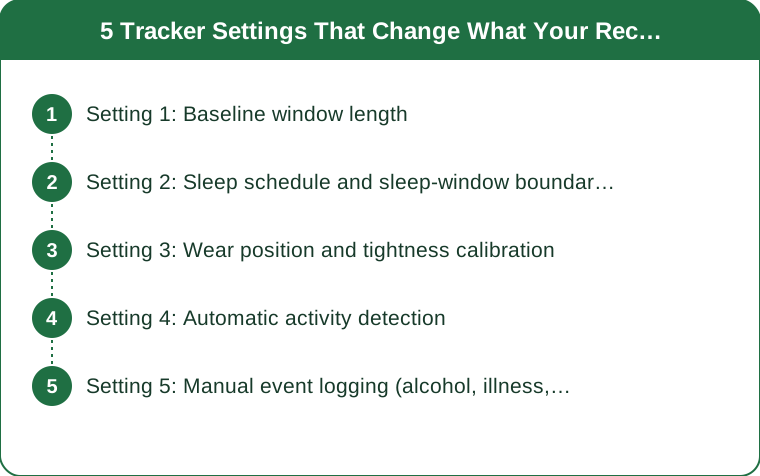
Quick Answer: Recovery scores are calculated against your own baseline, and five settings determine what that baseline is: baseline window length, sleep schedule, wear position, activity auto-detection, and manual event logging. Change any of them and the same physiology produces a different number. Most people never open these, which is why recovery scores feel arbitrary - the score is not measuring you, it is comparing you to a baseline you configured by accident.
You slept seven and a half hours, trained lightly, drank water, and got a 46. Your friend on the same device slept less and got a 78. Both numbers are correct.

Setting 1: Baseline window length
This is the most consequential setting on the device and the one fewest people know exists.
Recovery scores are relative, not absolute. Your device compares this morning’s heart rate variability and resting heart rate against a rolling average of your own recent data. The length of that rolling window decides everything.
Short windows (7 days) are reactive. A hard training week raises your baseline, so a normal morning afterward scores well - even though you are objectively more fatigued. The score tracks change, not state.
Long windows (30 to 60 days) are stable. These reflect longer-term trends and are far less flattering during a hard block, which is usually what you actually want to see.
Where to find it: typically under recovery, health metrics, or baseline settings depending on the brand. Some devices expose it directly; others only let you view the window length without changing it.
What to choose: a longer window if you are training seriously and want honest feedback, a shorter one if you are using the score for day-to-day autoregulation. Just know which one you have - it explains more score weirdness than any other single factor.
Setting 2: Sleep schedule and sleep-window boundaries
Your device has to decide when your night started, and it is often wrong.
Sleep detection uses movement, heart rate, and a configured expected window. If your declared bedtime is set to a time you no longer keep, the device may miss the start of your night or include time you were awake reading.
Naps are the biggest source of error. Depending on settings, an afternoon nap is either added to your total, treated as a separate event, or ignored - and each option produces a different recovery number the next morning.
Late-night activity confuses the boundary. A late workout or a late meal raises heart rate into the sleep window, which lowers the sleep-quality component even when sleep itself was fine.
Update it when the season changes. As mornings darken through autumn, most people’s actual sleep times shift by 20 to 40 minutes. A sleep schedule set in June is wrong by September, and it silently degrades every score after that.
Practical fix: open sleep settings once a season, set the window to your real average bedtime and wake time, and decide explicitly how naps are counted.
Setting 3: Wear position and tightness calibration
A hardware setting that behaves like a software one, and the most common cause of erratic readings.
Optical sensors need consistent skin contact. Wrist devices measure light reflected from blood vessels, and movement of the band against the skin creates noise that reads as physiological variation.
Position matters more than most people expect. Roughly a finger’s width above the wrist bone is the standard recommendation, and moving it up or down between days changes readings measurably.
Tightness has a narrow correct range. Loose enough to slide is noisy; tight enough to leave a mark restricts flow. Snug and stable, without movement when you shake your arm, is the target.
Some devices let you declare wear position - wrist versus upper arm versus finger - and the algorithm adjusts accordingly. If you switched positions and did not update it, every reading since has been interpreted against the wrong model.
Overnight is the reading that matters. Recovery scores are dominated by data collected while you sleep, so the setup that matters is the one at bedtime, not the one during your workout.
Setting 4: Automatic activity detection
A convenience feature that quietly corrupts training load data.
Auto-detection logs activities you did not intend to log. A brisk walk to the station becomes a recorded workout, which raises your daily strain and lowers tomorrow’s recovery expectation.
It also misses what you care about. Strength training is the classic failure case - low continuous heart rate with intermittent spikes does not match the pattern the algorithm expects, so a hard lifting session may register as barely anything.
Which distorts strain-versus-recovery comparisons. If your device thinks you did 20 minutes of walking when you did 70 minutes of heavy squats, its recommendation for tomorrow is built on the wrong input.
The fix is to log manually for the sessions that count. Start and stop the activity yourself for strength work and anything intermittent, and let auto-detection handle steady cardio where it performs well.
Check the sensitivity setting too. Most devices allow you to raise the threshold so that short, incidental movement is not logged at all - which cleans up the data considerably.
Setting 5: Manual event logging (alcohol, illness, cycle, late meals)
The setting with the smallest interface and the largest effect on whether the score is useful.
Most platforms let you tag daily factors - alcohol, illness, stress, travel, menstrual cycle phase - and many people never use them.
Untagged factors become unexplained noise. A drop in HRV after two glasses of wine is real and expected. Untagged, it looks like mysterious poor recovery and it drags your baseline down for days.
Cycle tracking changes the interpretation entirely. HRV and resting heart rate follow a predictable pattern across the menstrual cycle - resting heart rate typically rises in the luteal phase - and devices that know your cycle phase adjust their interpretation accordingly. Devices that do not simply report a worse score.
Illness tagging protects your baseline. Several days of elevated resting heart rate from a cold will otherwise be absorbed into your rolling average, which makes your normal look worse for weeks afterward.
Two minutes a week is the whole cost. Tagging the handful of days that were genuinely different is what turns a recovery score from a number you argue with into a number you can act on.
Which of these five matters most?
Baseline window length, by a clear margin - it determines whether your score reflects change or state, and it explains most of the difference between two people getting very different numbers from similar nights.
Should I trust the recovery score at all?
As a trend across a week, yes. As a single-day verdict, treat it as one input alongside how you actually feel and how your warm-up sets move.
Do these settings differ between brands?
The names differ; the concepts do not. Every device that produces a recovery score has a baseline window, a sleep window, a wear-position assumption, activity detection, and some form of event tagging - the question is only how much of it the interface lets you see.
TL;DR:
- Recovery scores are relative to your own baseline, and the baseline window length (7 days versus 30) changes what the number means entirely.
- Update your sleep schedule each season - a window set in summer is wrong by autumn and silently degrades every score.
- Wear position and band tightness are the most common cause of erratic overnight readings; snug, a finger’s width above the wrist bone.
- Log strength sessions manually and tag alcohol, illness, and cycle phase - untagged days become noise that drags your baseline for weeks.
The reason recovery scores feel arbitrary is almost never the sensor. It is that five defaults were set the day you unboxed the device and never revisited, and each of them quietly changes what the number is comparing against. Twenty minutes in the settings menu is the highest-return thing you can do with a tracker you already own.
Keep Reading
This article is for general informational and styling purposes only. Fit, sizing, and product availability may vary.